Mijas opens a search tool on its website to find out your polling station for 29-N
Topics La Cala
Mijas Town Council has set up a space on mijas.es where you can check your polling station for the general elections on November 29, using your ID card and date of birth. In the municipality, 52,230 residents are called to vote.
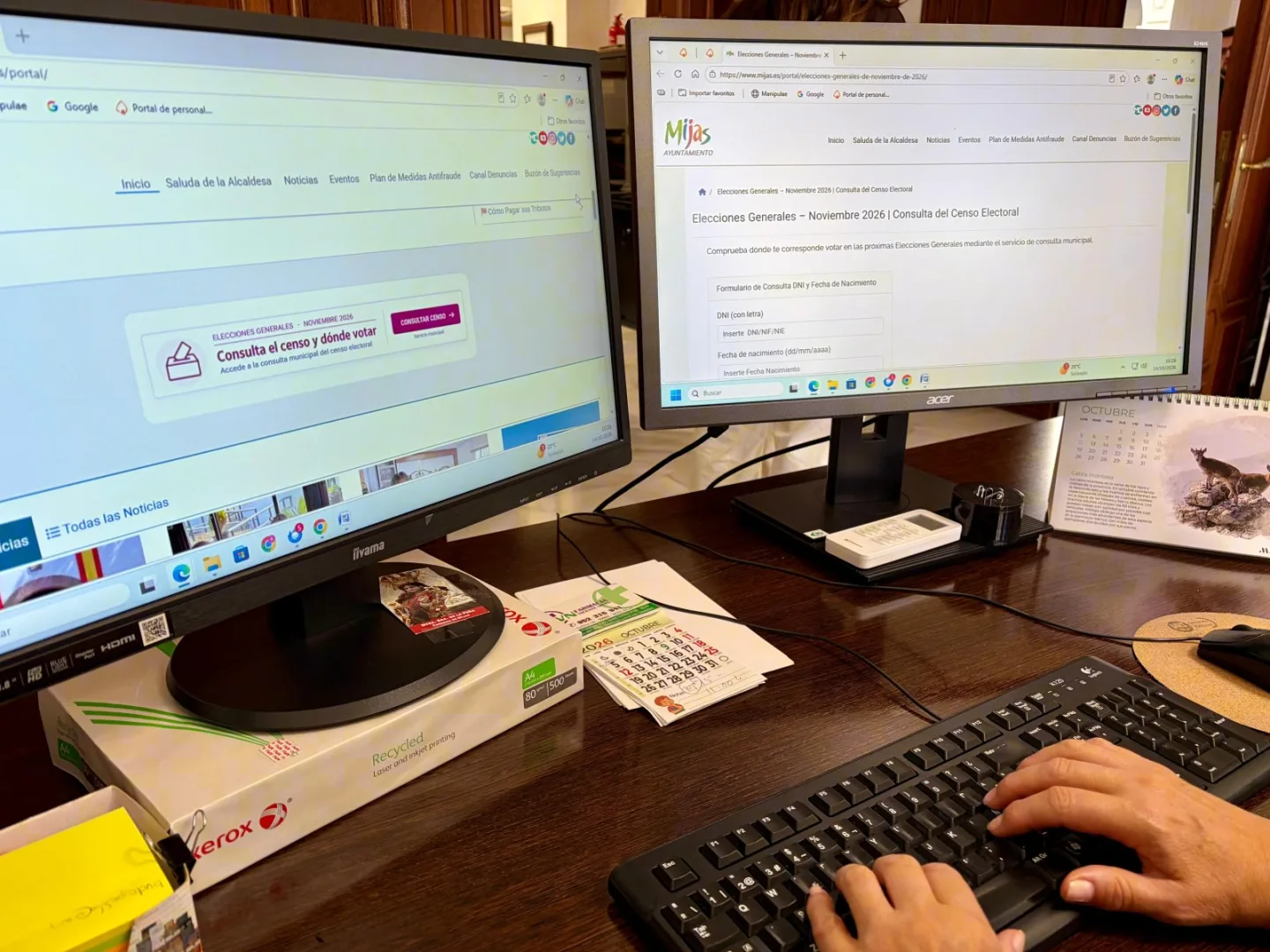
The Mijas Town Council has set up a space on its website for residents to check which polling station they are assigned to vote at in the general elections on Sunday, November 29. The query is available at the November 2026 general elections page.
How to check your polling station
To use the search tool, two fields must be filled in: the DNI number with its letter and the date of birth. The search is immediate and returns the assigned polling station, as well as a geolocation system to make it easier to find.
In these elections, 52,230 residents of Mijas are called to the polls, spread across 18 polling stations, 74 tables and 44 sections.
Changes to polling stations
The main novelty is that, for operational reasons, the polling station located at the Los Claveles nursery school disappears and moves to the Torre Almenara secondary school, in La Cala de Mijas.
What Mijas is
Mijas is a municipality in the province of Málaga, on the Costa del Sol, 34 kilometres southwest of the capital. It has 95,104 inhabitants (INE 2025), which makes it the third municipality in the province by population, behind Málaga and Marbella. It is organised into three main urban centres: Mijas Pueblo, on the slope of the Sierra de Mijas; Las Lagunas, in the Mijas Costa area; and La Cala, the coastal centre.
What to do
Anyone who wants to know their polling station before November 29 can go to the municipal website and fill in the form with their DNI and date of birth. The information is provided by the Mijas Town Council.
Breaking news from News, on your phone
An alert only when something can't wait. Free, no account needed.
On iPhone, alerts only arrive if you first add InforMálaga to your Home Screen. How to do it, step by step
This browser can't receive alerts. Try another one, such as Chrome or Safari.
You've blocked alerts from InforMálaga in this browser. You can turn them back on in its settings. How to do it, step by step
Only what can't wait. Change or remove it in my alerts
Shall we let you know what matters?
Phone alerts
On iPhone, alerts only arrive if you first add InforMálaga to your Home Screen. How to do it, step by step
This browser can't receive alerts. Try another one, such as Chrome or Safari.
You've blocked alerts from InforMálaga in this browser. You can turn them back on in its settings. How to do it, step by step